
Format the VPS
Apex Cloud documentation.
Before Continuing
You should first, have access to the VPS Control Panel
Formatting a VPS will ERASE any data inside the VPS. This can't be reversed.
Steps
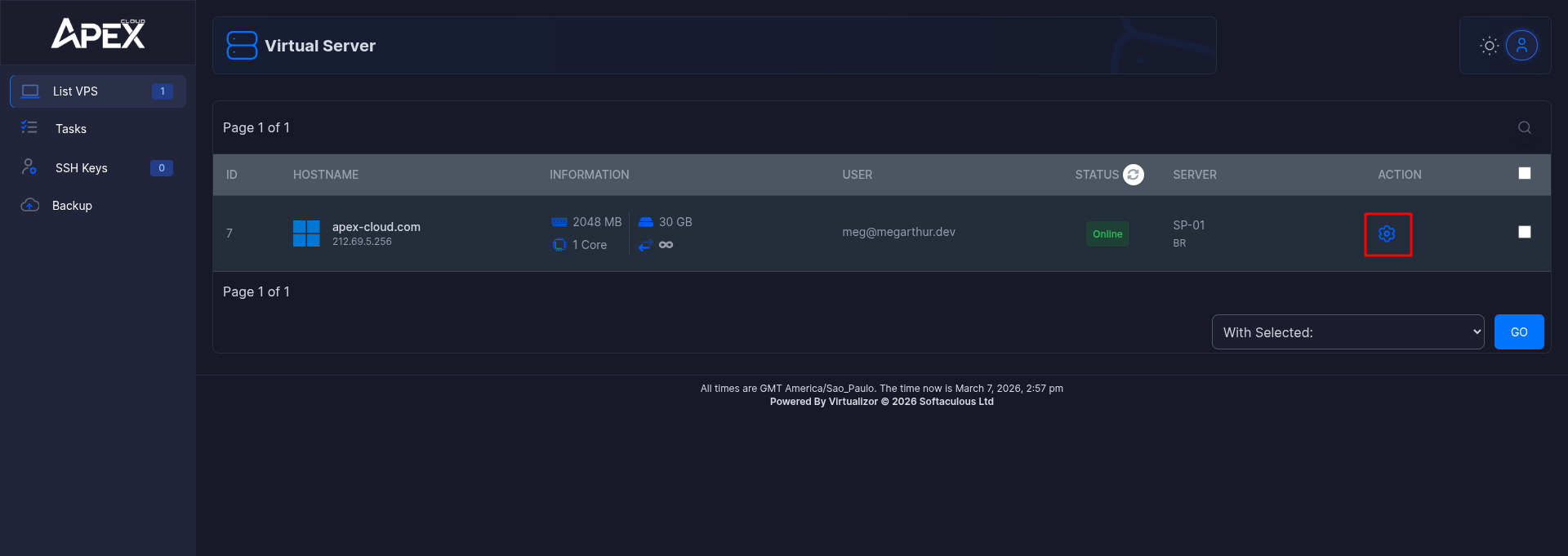
Select a VPS
Click on the cog wheel next to your chosen Server.
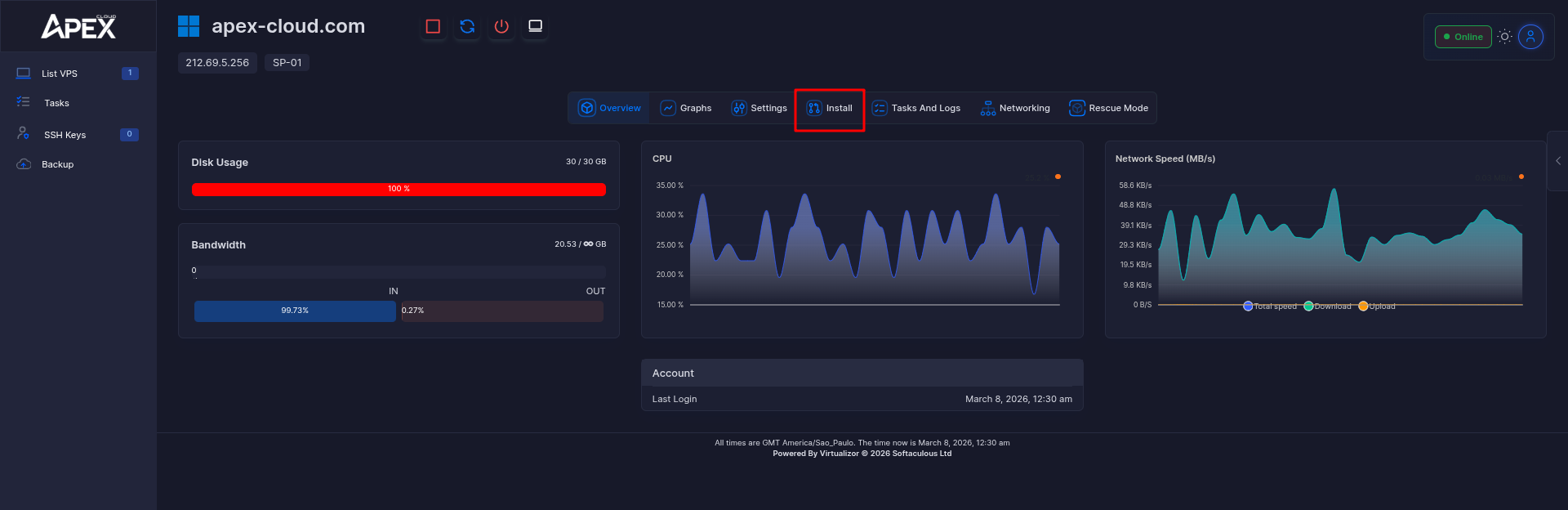
Enter the Install section
Click the Install button.
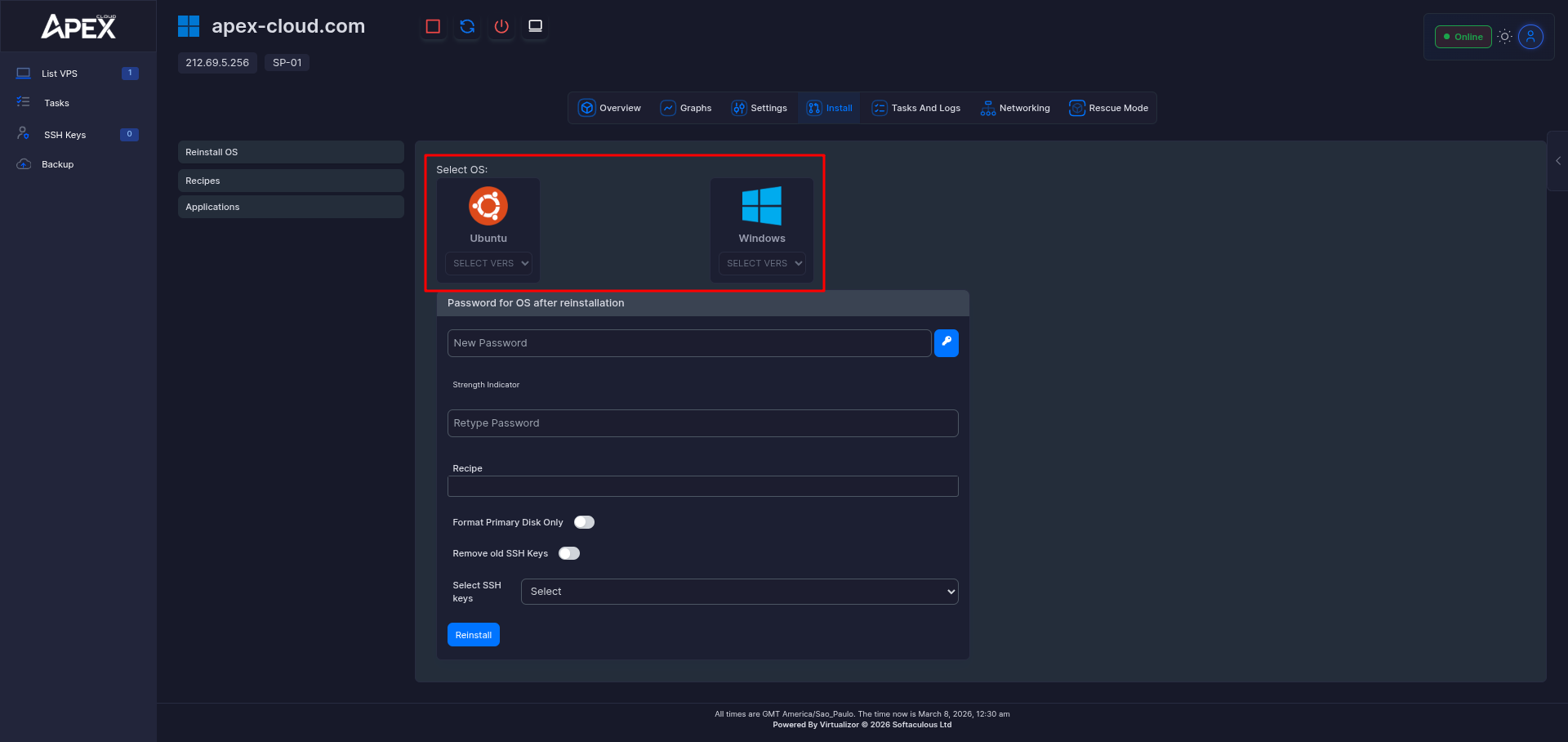
Select a OS
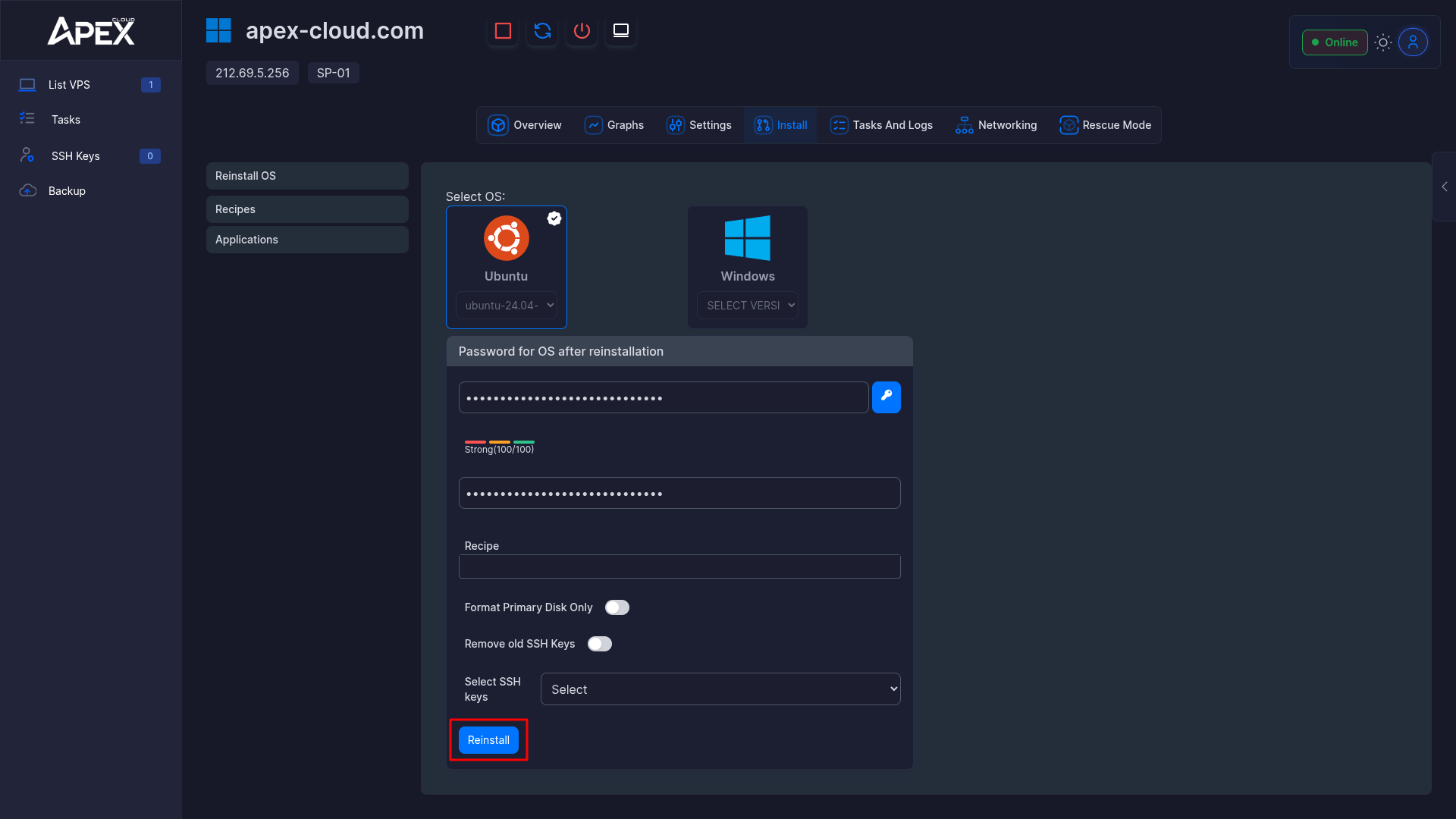
First choose a Operating System (OS) then take a desired version.
Older OSs such as Windows Server 2016 might save some resources but it might lack modern features.
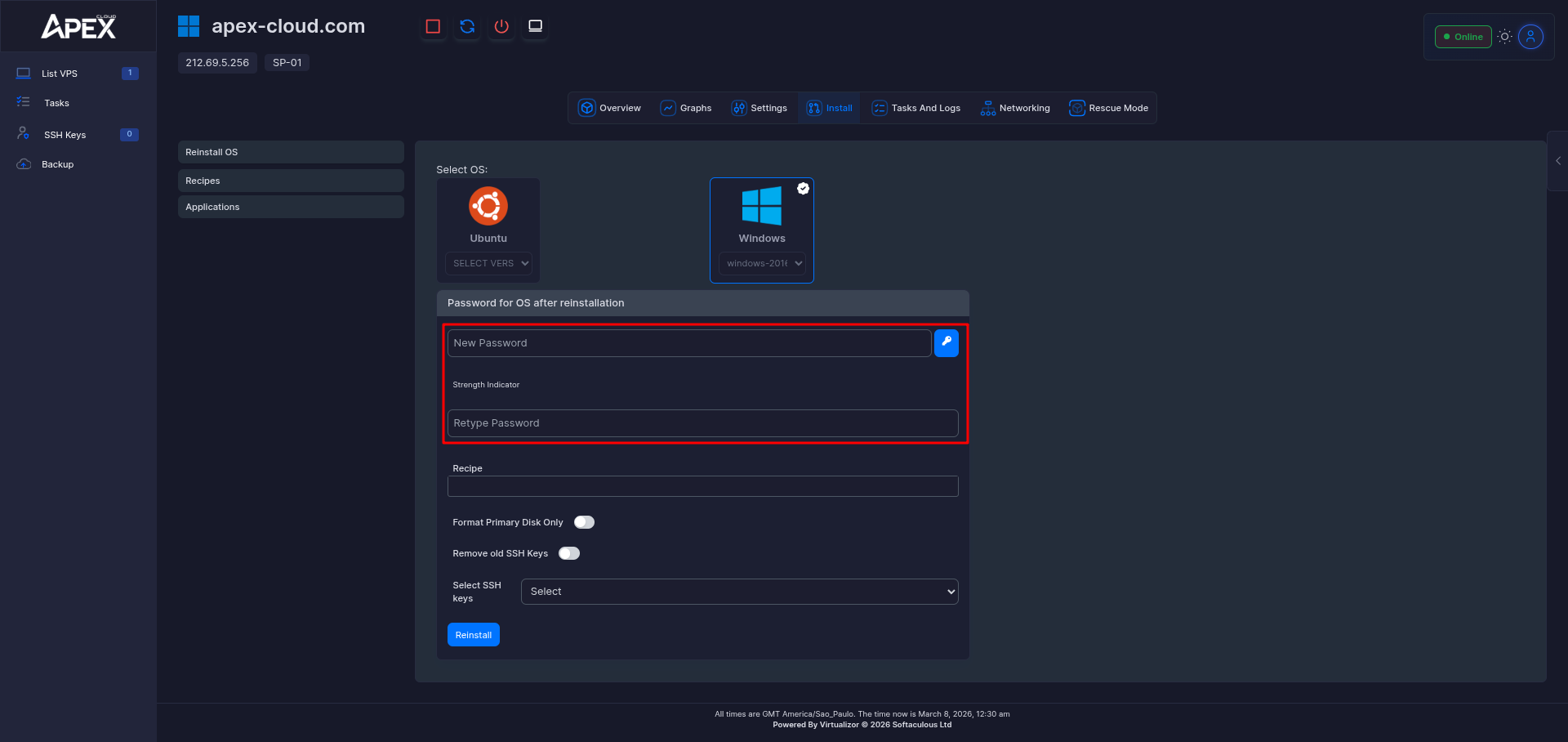
Type your password
Remember to repeat the same password into both fields.
For a safer VPS password follow this NIST article.
Format the VPS
Click on the Format button.
Done!
You can now proceed, to connect to your server.