
Change the password
Apex Cloud documentation.
Before Continuing
You should first, have access to the VPS Control Panel
Steps
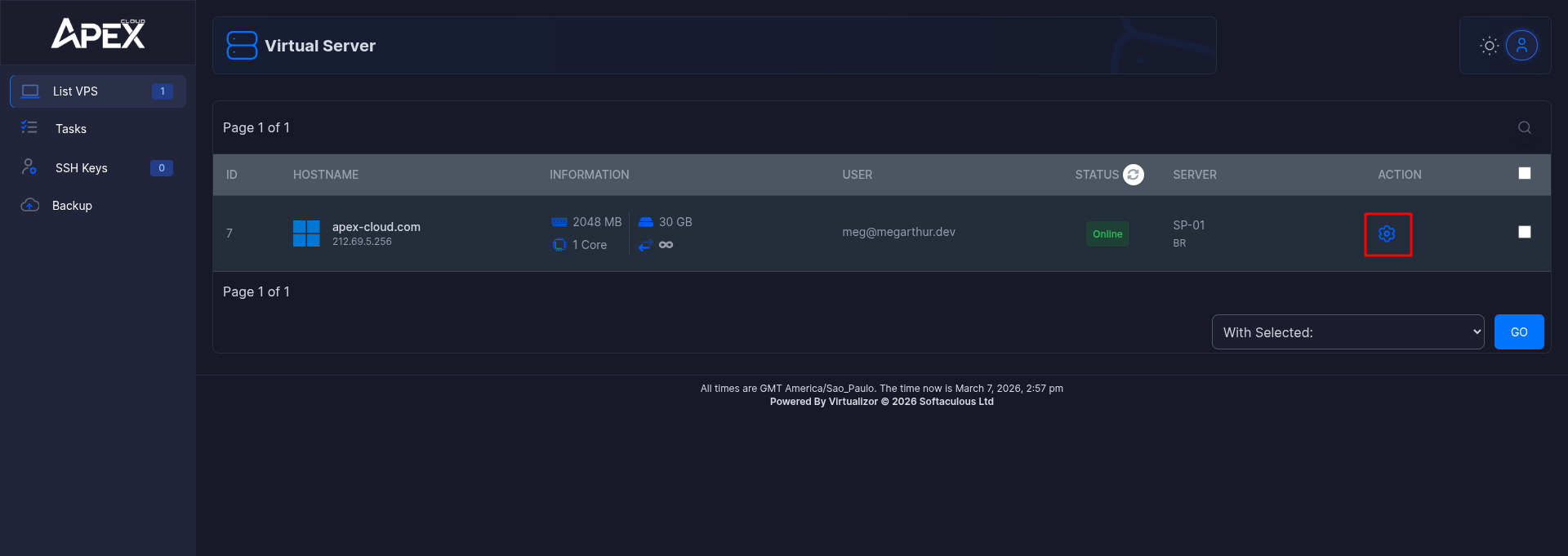
Select a VPS
Click on the cog wheel next to your chosen Server.
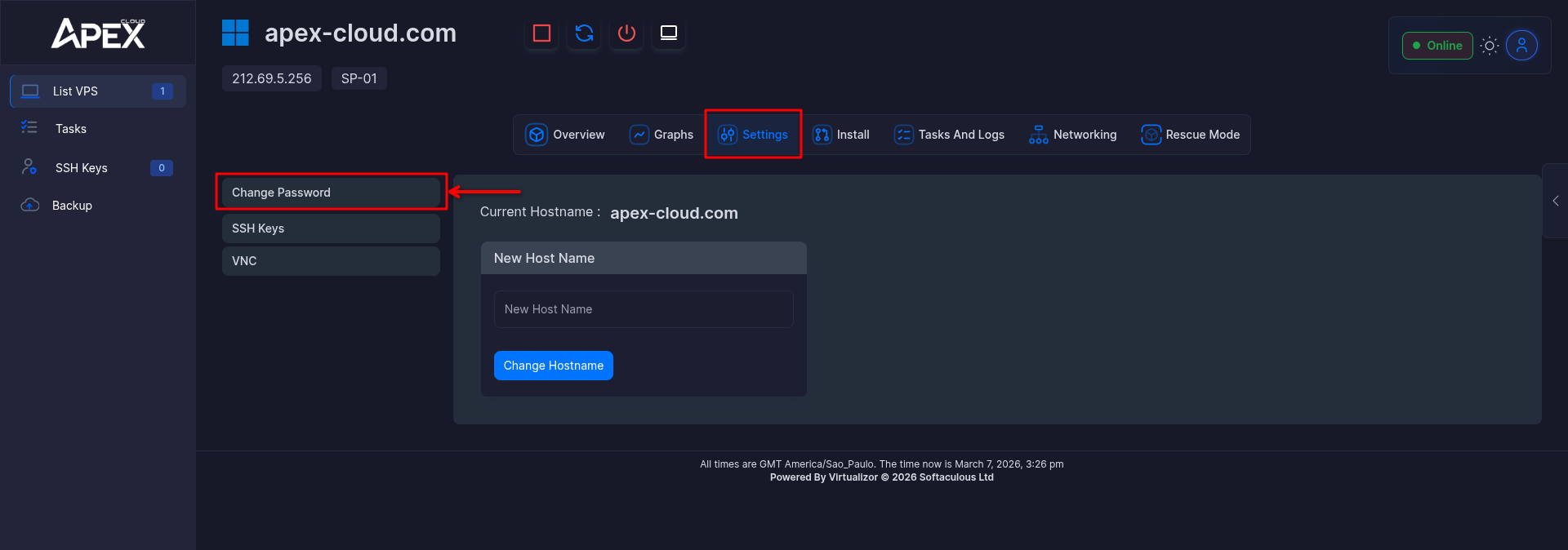
Enter the Settings section
First click on the Settings section then click Reset Password
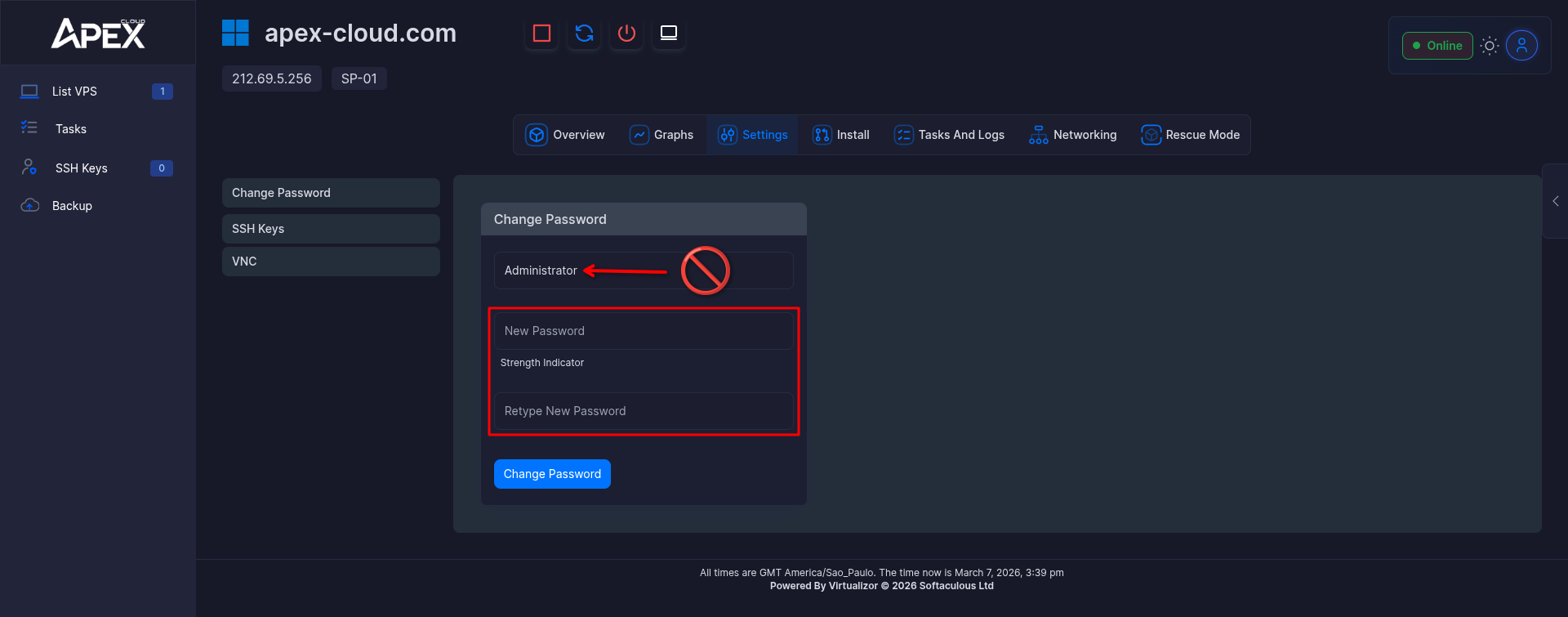
Input a new password
Remember to input the SAME password on both fields.
Don't touch on the VPS Admin Name that could brick your system, or create problems to Connect to the VPS
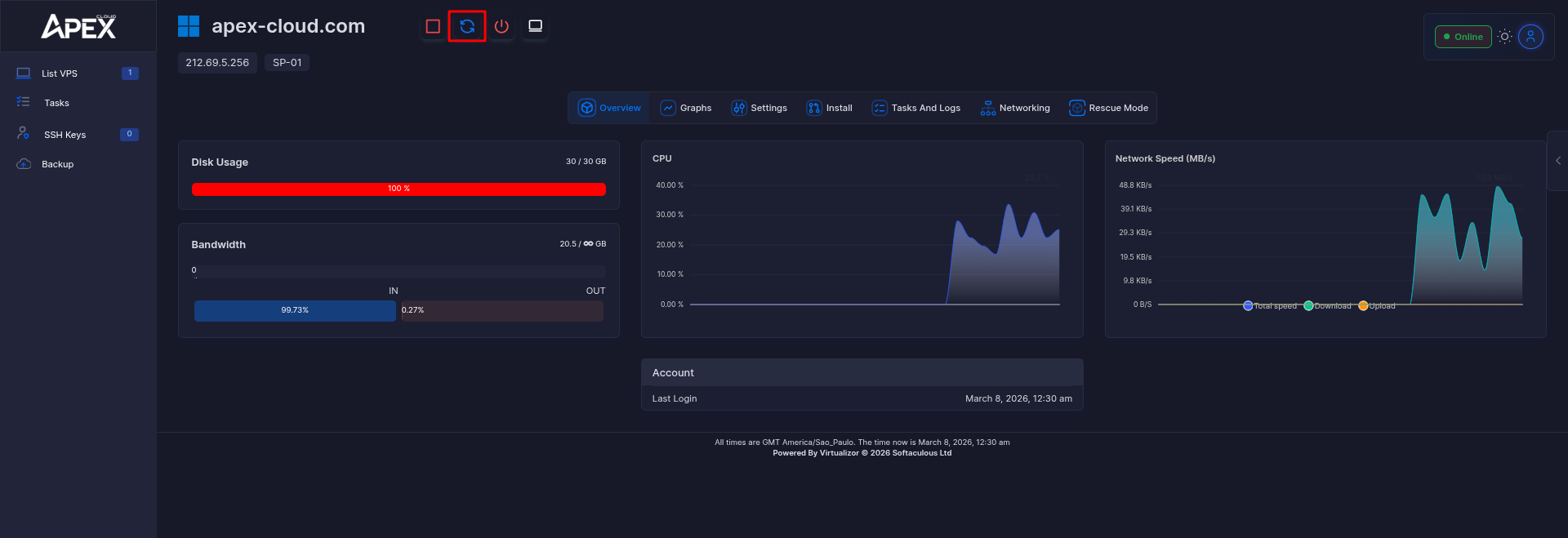
Reboot the VPS
Click on the spinning arrows (highlighted) to reboot the VPS.
Done!
You can now proceed, to connect to your server.