
Invoices
Find your invoices, download the PDF and pay what is due.
Every order and every renewal creates an invoice. Open Invoices in the left sidebar (/invoices) to see them all.
Invoice list
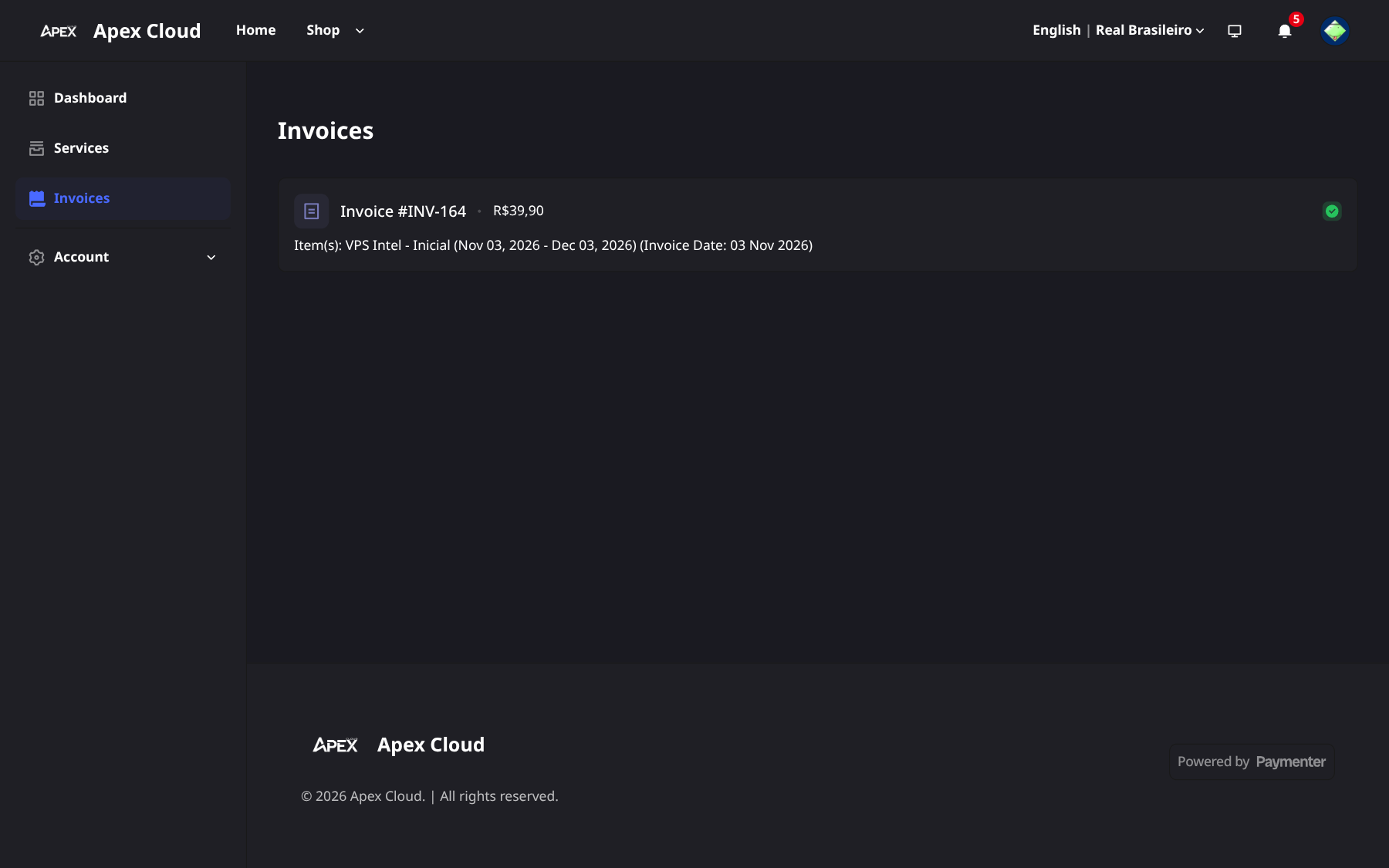
Each row shows the invoice number and total, for example Invoice #INV-164 - R$39,90, the items with their period, the invoice date, and a check icon when it has been paid. Select an invoice to open it.
The dashboard also counts your Unpaid Invoices, with a View All link, see Billing Panel.
Invoice page
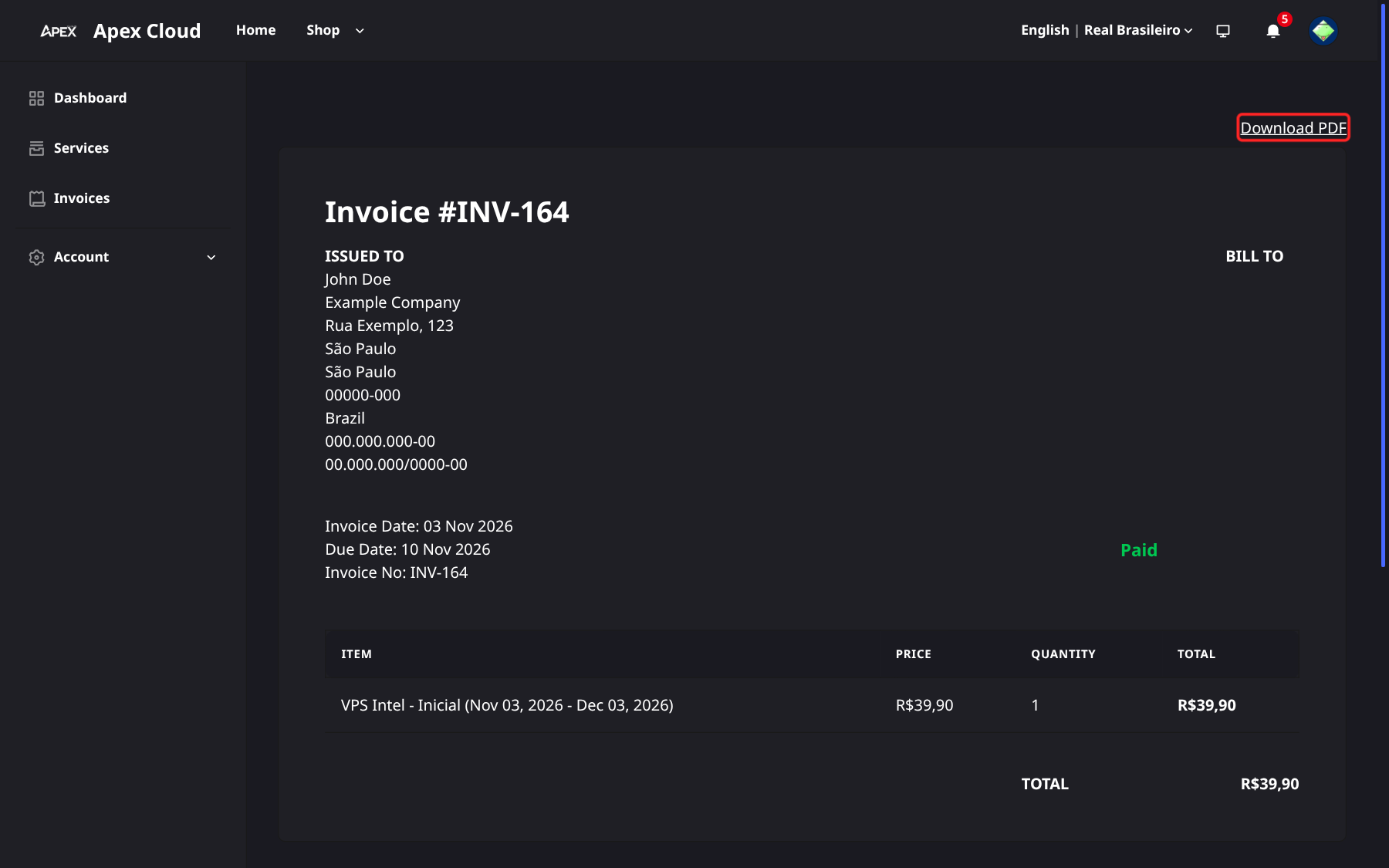
The invoice page (/invoices/INV-164) contains:
- Download PDF, at the top right.
- ISSUED TO: your customer details, including your CPF and, if provided, CNPJ. Edit them in Profile and billing details.
- Invoice Date, Due Date and Invoice No.
- The status, for example Paid.
- The items table and the total.
The Due Date is 7 days after the Invoice Date. What happens when an invoice is not paid on time is explained in Renewals and overdue invoices.
Pay an invoice
Right after Checkout, the invoice opens with the payment dialog already showing. If you closed it, or you are paying an older invoice, open the invoice from Invoices, or from Dashboard > Unpaid Invoices (use View All to see them all). An invoice waiting for payment shows Payment Pending and a Pay button that reopens the dialog.
Open the payment dialog
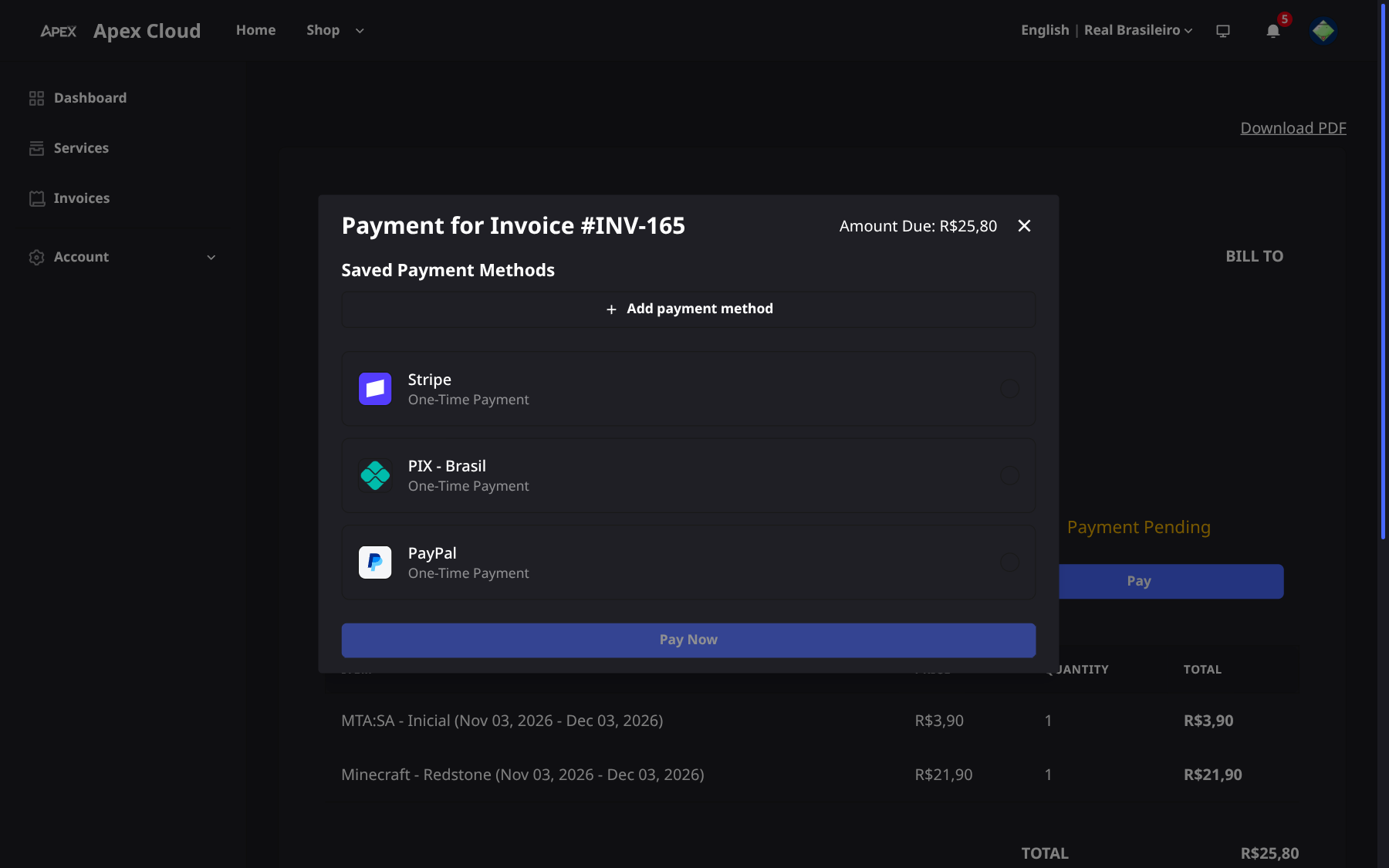
The dialog is titled Payment for Invoice followed by the invoice number, for example #INV-165, and shows the Amount Due.
Choose how to pay
Use a method listed under Saved Payment Methods, or add one with Add payment method, see Payment methods. Otherwise pick a one-time option: Stripe (card), PIX - Brasil or PayPal.
Select Pay Now
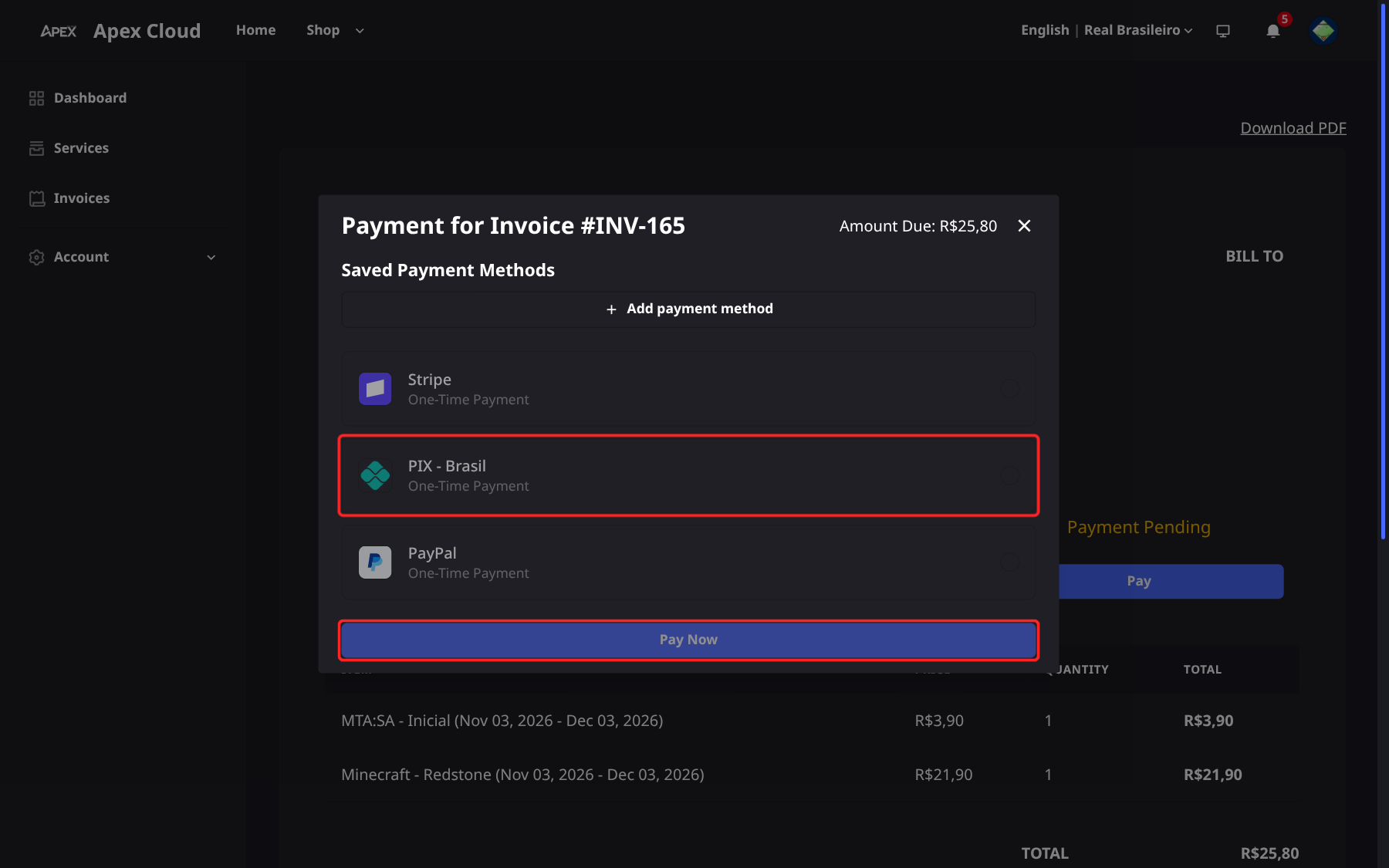
Select Pay Now and complete the payment with the method you picked.
Paying with Pix
After Pay Now with PIX - Brasil, the Pagamento via PIX screen shows the amount, a QR code and a Código Copia e Cola (copy-and-paste code). Scan the QR code with your bank app, or copy the code and paste it into the Pix area of the app.
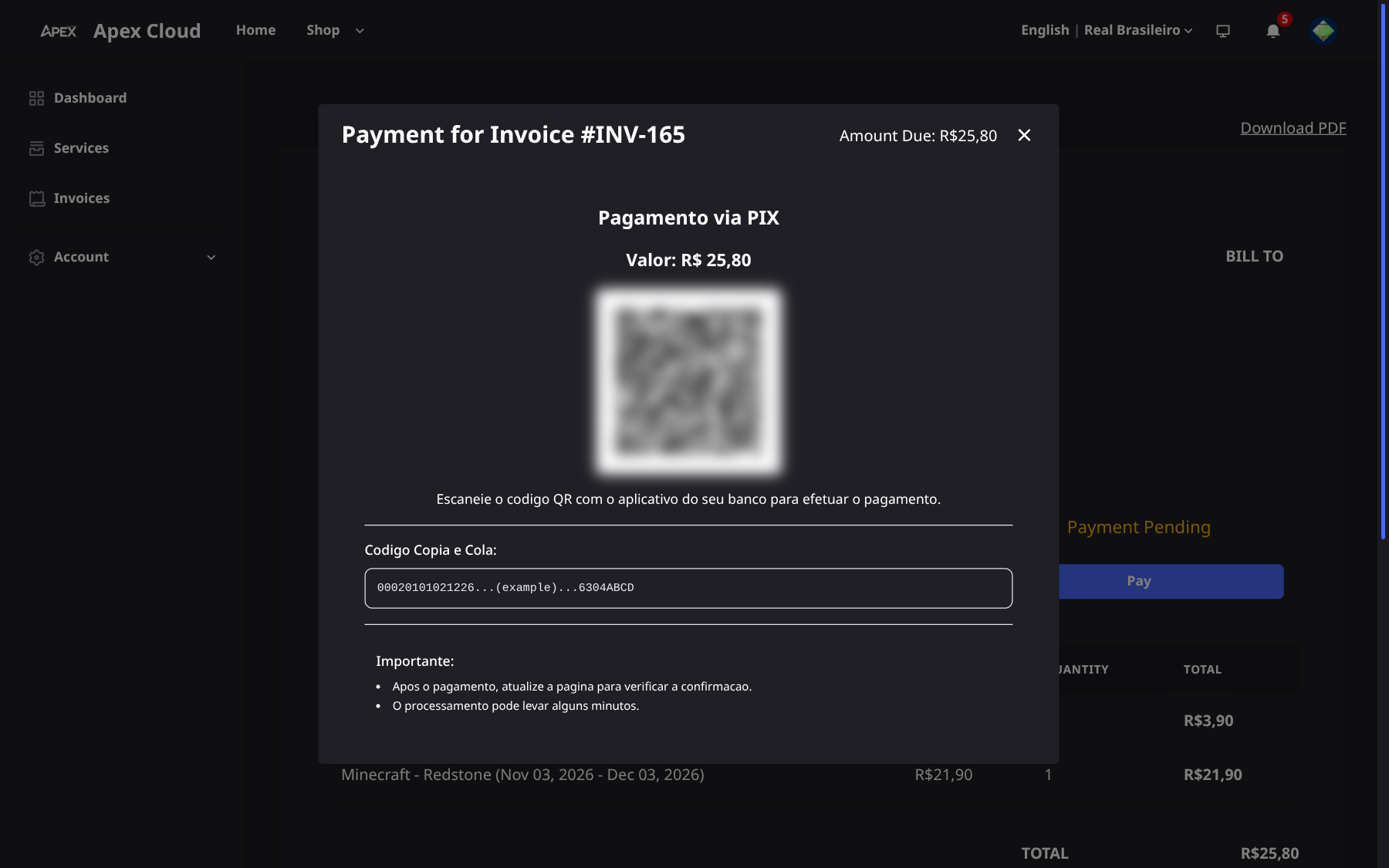
After paying, refresh the page to check the confirmation. Processing can take a few minutes. Until it is confirmed the invoice shows Payment Pending.
Related
- Ordering a service: how the first invoice is created.
- Upgrades: an upgrade creates an invoice for the price difference.
- Notifications: get an email or in-app alert for new invoices and payments.