
Upgrades
Move a service to a bigger plan and pay only the difference.
You can move a service to a larger plan at any time from the Billing Panel. You pay only the difference in price. For game servers, your files stay where they are.
A VPS can move to any VPS Intel or Semi Dedicados plan.
Upgrade a service
Open the service
Go to Services, select the service, and under Actions select Upgrade. See Your services.
Choose the new plan
Under Choose a product to upgrade to, your current plan is marked Current Plan. Select the plan you want, which then shows as New Plan.
The Upgrade Summary shows the Total Today, which is the price difference between the two plans. In the example below, moving up one plan costs R$20,00.
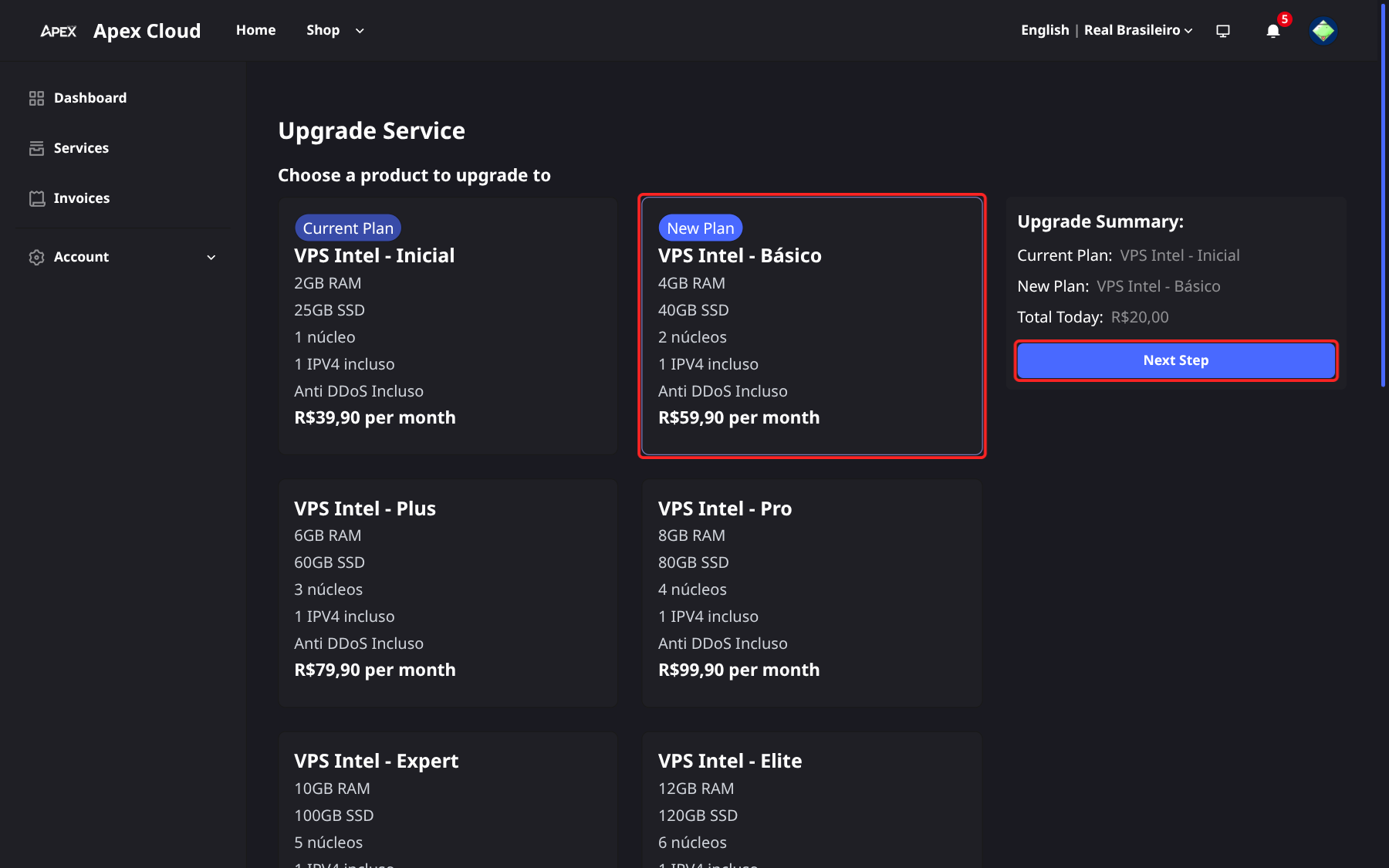
Select Next Step.
Add optional extras
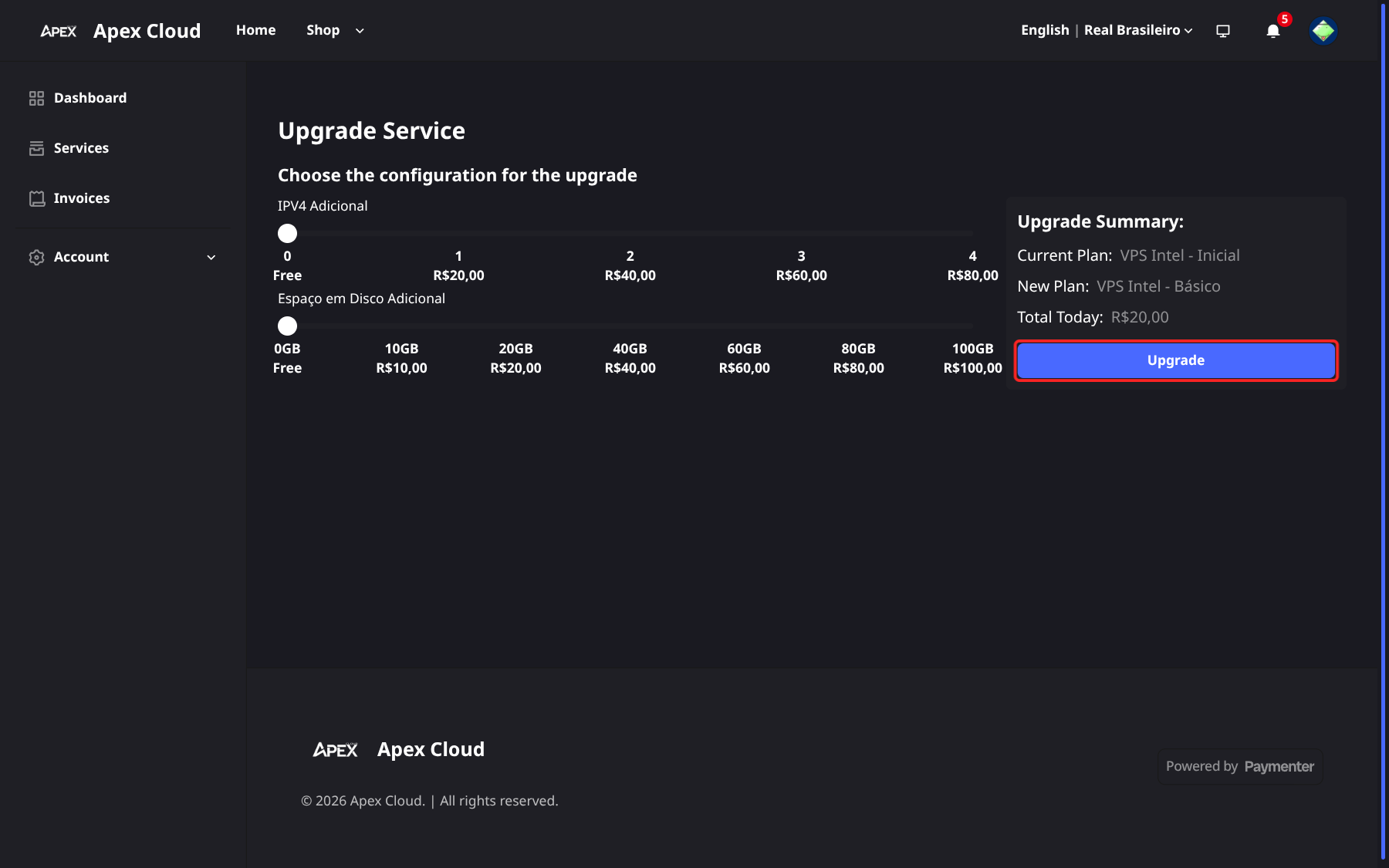
The next step offers optional add-ons: extra IPv4 addresses (IPV4 Adicional) and extra disk space (Espaço em Disco Adicional). Adjust the sliders if you need them.
Create the invoice and pay
Select Upgrade. This creates an invoice for the difference. Pay it with any payment method, see Invoices.
Downgrades
Downgrades are not offered in the panel. If you want a smaller plan, contact support, see Getting support.