
Notifications
Choose which emails and in-app alerts you receive, and use the bell menu.
Open Account > Notifications (/account/notifications) to decide how the Billing Panel contacts you.
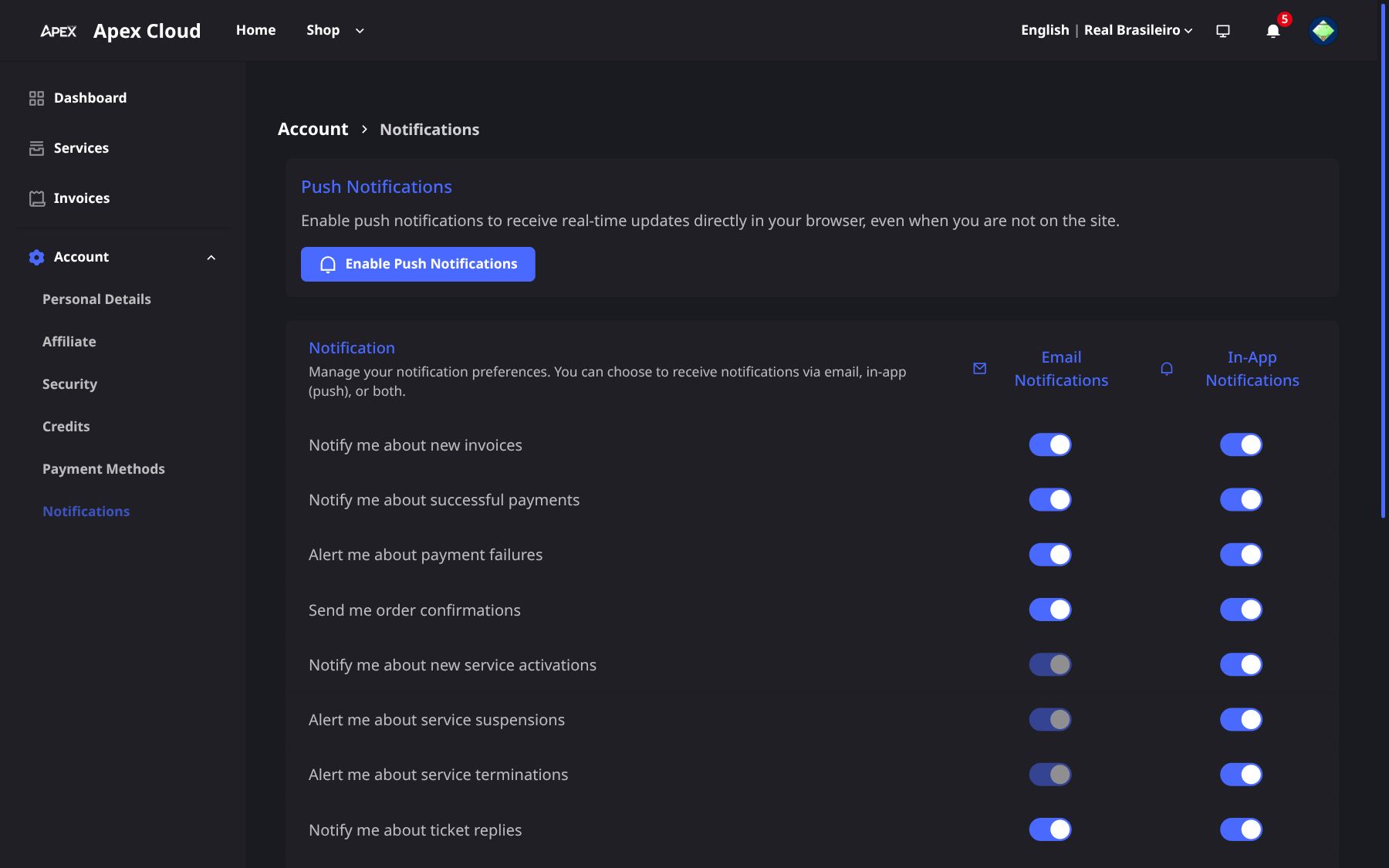
Push notifications
Select Enable Push Notifications to receive alerts in your browser.
Email and in-app toggles
For each event you can turn Email and In-app notifications on or off:
- New invoices
- Successful payments
- Payment failures
- Order confirmations
- Service activations
- Suspensions
- Terminations
- Ticket replies
- Cancellations
Set the toggles
Switch Email and In-app on or off for each event.
Save
Select Save.
Billing has no ticket system, support goes through email, Discord and WhatsApp, see Getting support. The Ticket replies row is part of the panel but you can ignore it.
Keep New invoices, Payment failures, Suspensions and Terminations on. They warn you before a service is affected, see Renewals and overdue invoices.
The bell menu
The bell in the header shows your in-app notifications. Typical entries are Service activated, Invoice paid, New invoice created and New order created. Use Mark as read to clear them.