
Profile and billing details
Keep your contact details, address, CPF and CNPJ up to date.
Open Account > Personal Details (/account) to see and edit the details stored in your Billing Panel account.
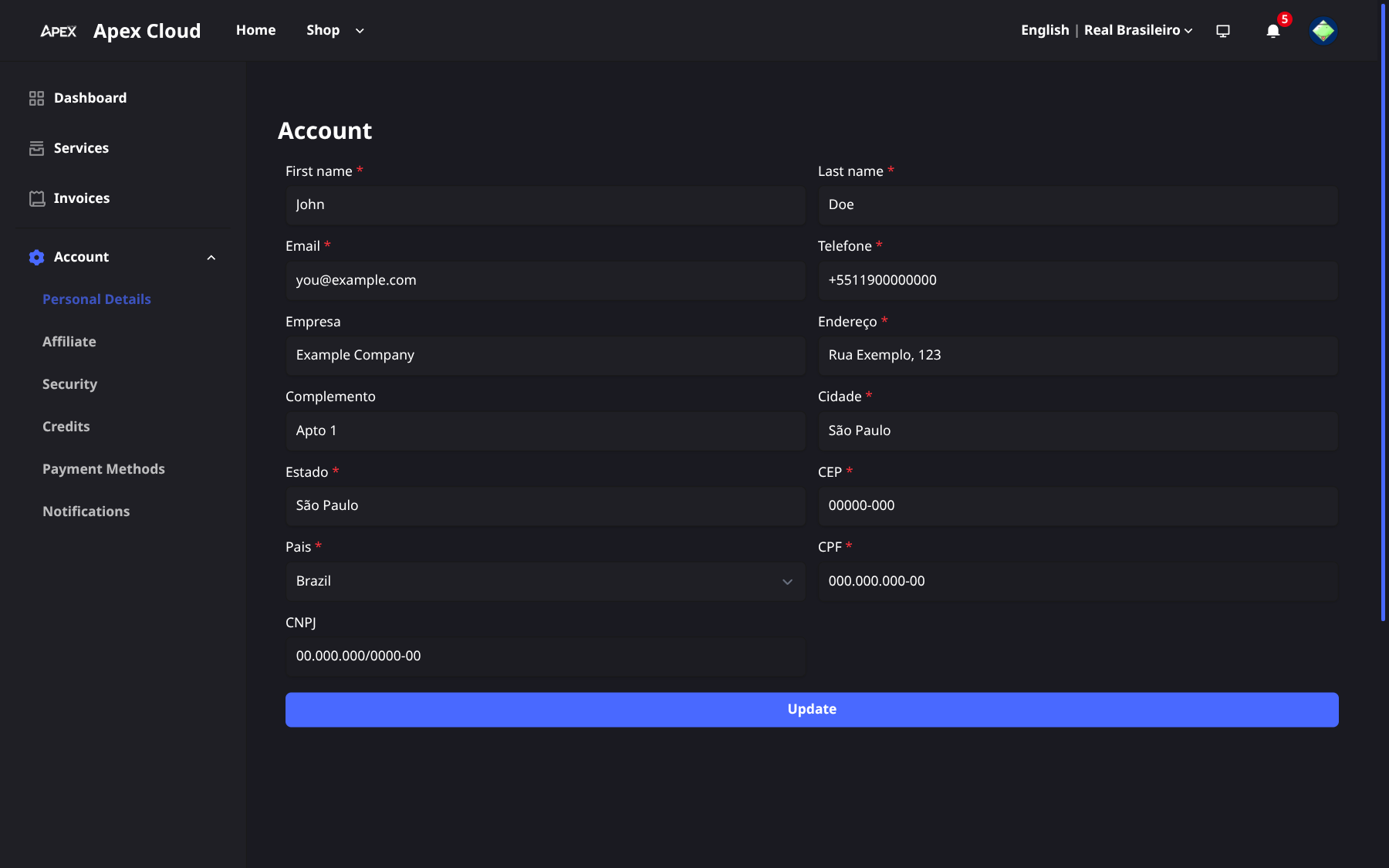
Fields
| Field | Notes |
|---|---|
| First name, Last name | |
| The address you log in with, and where VPS credentials are sent | |
| Phone | |
| Company | Optional |
| Address, Complement, City, State, CEP, Country | Your billing address |
| CPF | Required |
| CNPJ | Optional, for company purchases |
Some labels may appear in Portuguese (Telefone, Empresa, Endereço, Cidade, Estado, País) while the panel is set to Portuguese. Use the language selector at the top of the page to change it.
Update your details
Edit the fields
Change the fields you need on the Personal Details page.
Save
Select Update.
Change your email
The email address is changed on this same page: edit the Email field and select Update. Use the new address from then on when you log in.
CPF and CNPJ on invoices
Your invoices carry the customer details from this page in the ISSUED TO block, including your CPF and, if filled in, your CNPJ. Update them here before paying an order if the invoice must show different details. See Invoices.
Provide true and up-to-date information. The Terms of Service allow Apex Cloud to ask for additional documents to verify identity, and to suspend or refuse accounts with false data.