
Reinstall the OS
Wipe your VPS and install a fresh Ubuntu or Windows Server from the control panel.
Reinstalling replaces the operating system of your VPS with a clean copy of the template you choose. Use it to start from scratch, to switch between the supported systems (Ubuntu 20.04, 22.04.5 and 24.04, Windows Server 2016 and 2025), or when a server is beyond repair.
This erases all data on the VPS
A reinstall deletes every file, program, user and setting on the server. It cannot be undone and Apex Cloud cannot recover the data afterwards. Copy anything you need to another machine first. If the server does not boot, you can copy files out with Rescue Mode. VPS plans do not come with automatic backups, see who is responsible for what.
Reinstall the OS
Open the Install tab
In the control panel, click the Manage (cog) icon of the VPS, open the Install tab, and choose Reinstall OS in the left menu.
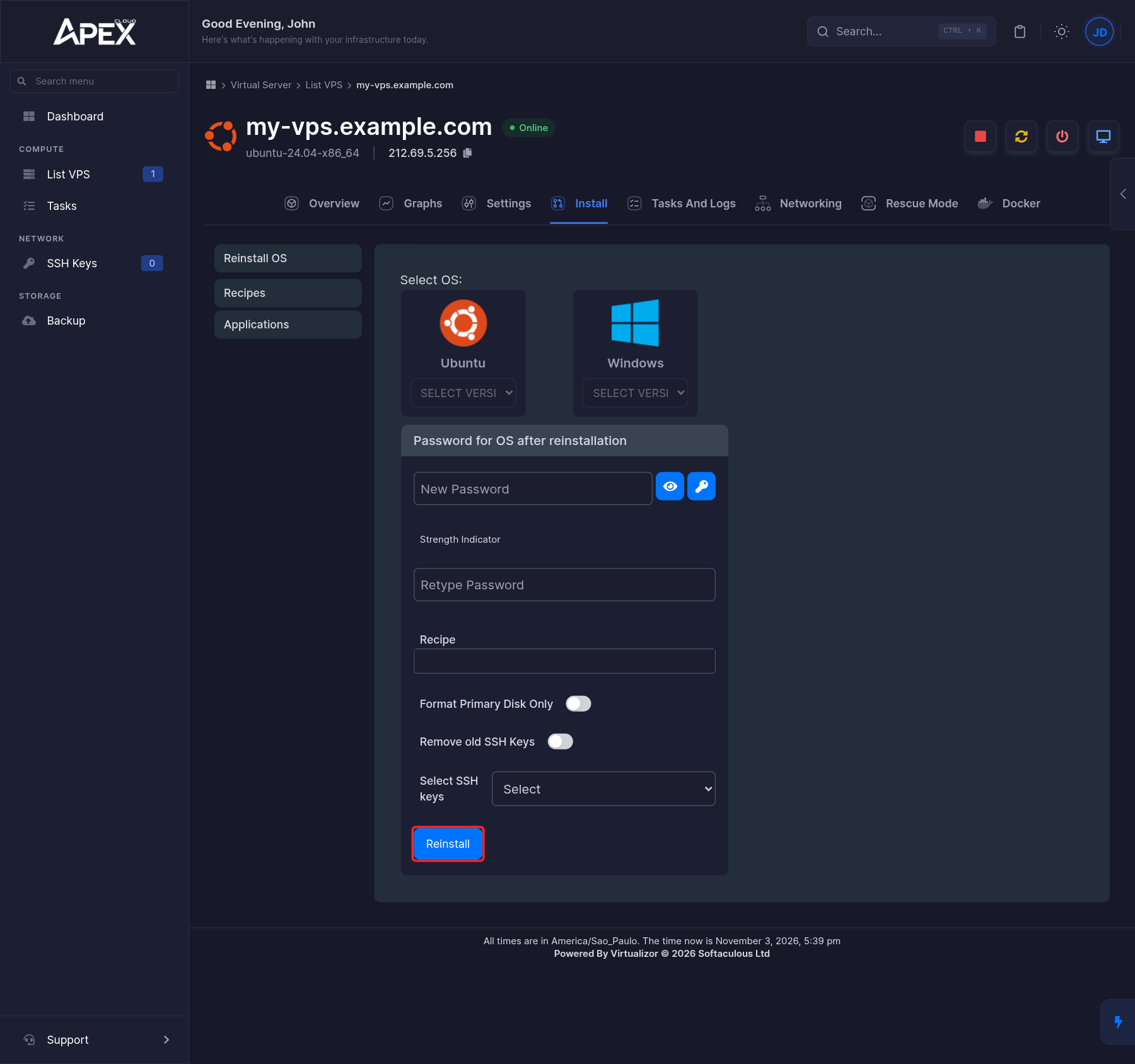
Choose the operating system
Click Ubuntu or Windows, then pick a version in the Select version menu.
Set the password
Under Password for OS after reinstallation, type the new password in New Password and again in Retype Password. The eye button shows the password, and the key button generates one for you. Save it in a password manager: it is the root password on Ubuntu and the Administrator password on Windows Server.
Choose the options
- Recipe: for Windows Server, select Allow RDP and PING on Windows Server. It is the only recipe available.
- Format Primary Disk Only: turn this on if only the primary disk should be formatted.
- Remove old SSH Keys: turn this on to remove the SSH keys that were installed before.
- Select SSH keys: optionally choose one of the keys you added in the panel, so you can log in without a password. See SSH keys. This is for Linux.
Wait and connect
Follow the progress in the Tasks And Logs tab, see Monitoring. When it finishes, connect to the VPS with the new password.
The host key changes after a reinstall
The new system has new SSH host keys. If your SSH client warns that the remote host identification has changed, this is expected. Remove the old entry with ssh-keygen -R 203.0.113.256 (use your own IP) and connect again. See the host key prompt.
Install Docker (optional)
If you want to run containers on a Linux VPS, the Docker tab installs Docker for you. Open the tab and click Install Docker. It installs Docker Engine, the Docker CLI and containerd.
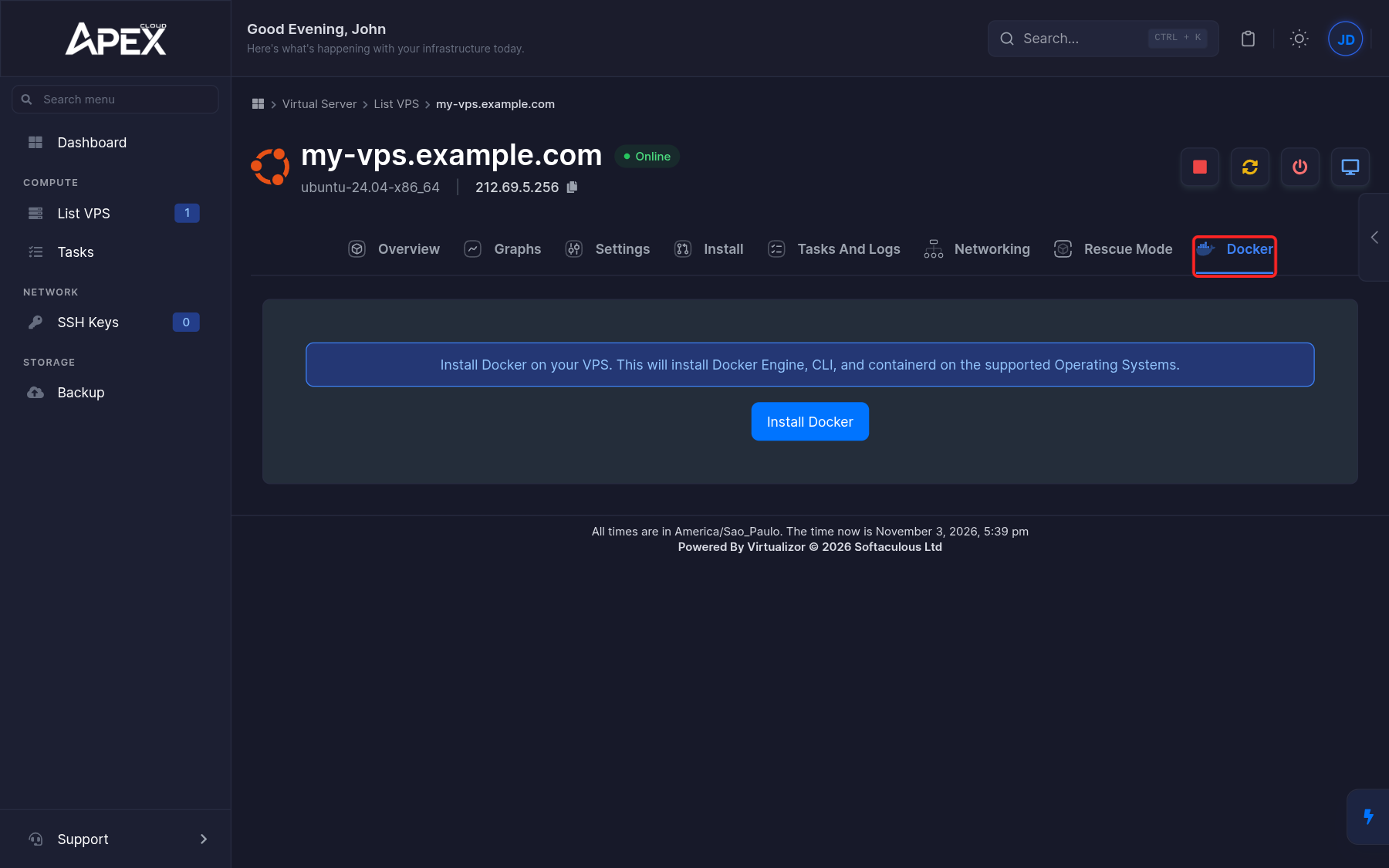
Follow the progress in the Tasks And Logs tab. Once it is done, log in to the server and check it with docker --version. You are responsible for securing the containers you run, see Secure your VPS.