
Network
The address and ports your server uses, and what the primary port is.
Network in the server menu lists the allocations of your server: the address and port pairs it can listen on.
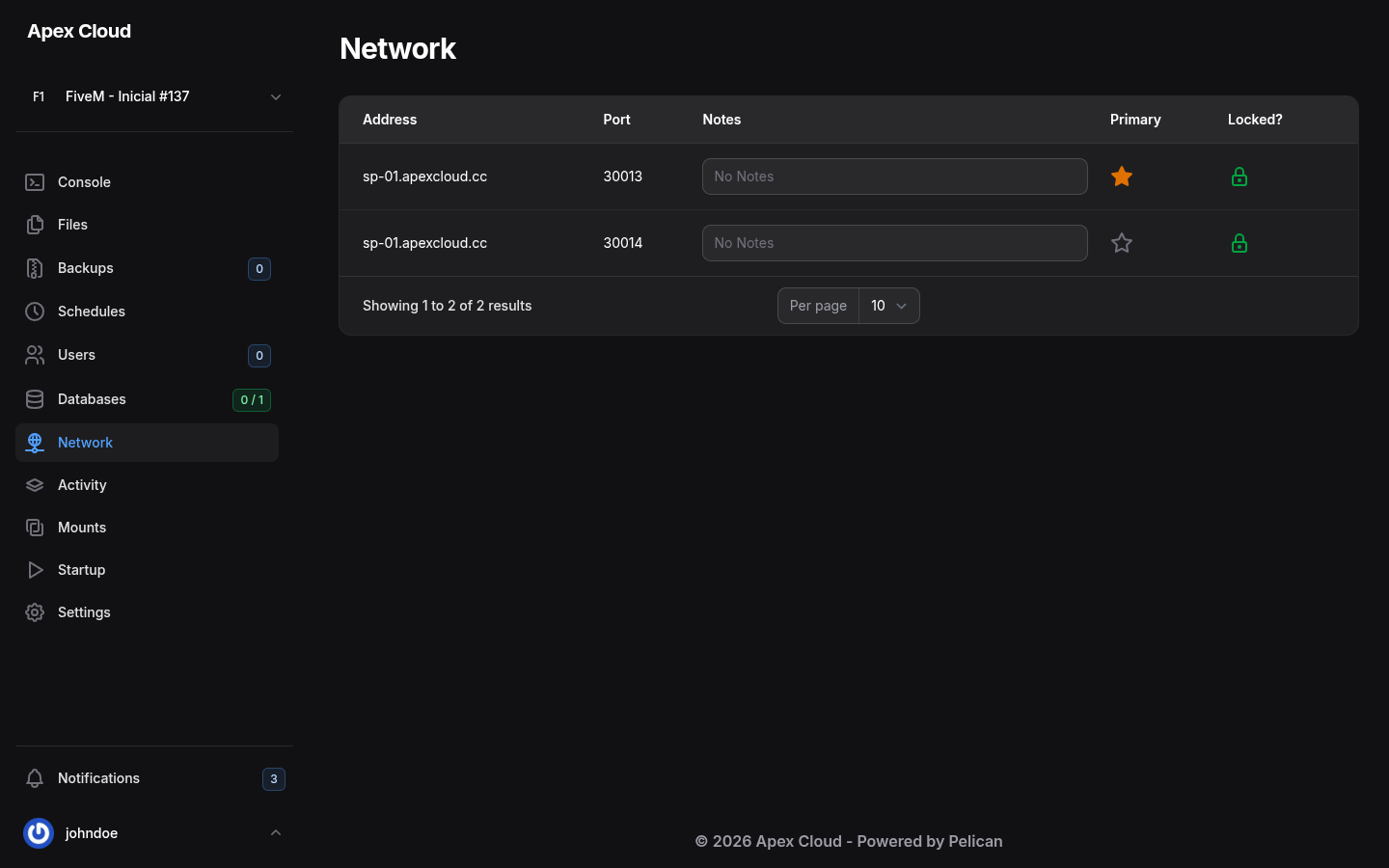
| Column | Meaning |
|---|---|
| Address | The hostname of the node your server runs on, for example sp-01.apexcloud.cc |
| Port | The port number |
| Notes | A free text field, for example to remember what the port is for |
| Primary | The star marks the primary allocation. It is the one players use to connect, and the one shown in Address on the Console |
| Locked? | A lock icon. The panel says: Locked allocations can only be deleted by admins |
The primary port
The primary allocation is your game port. On the FiveM server of the example it is 30013, so players connect to sp-01.apexcloud.cc:30013.
To make another allocation the primary one, select its empty star (the panel names the action Make Primary). The Address on the console changes with it, so the address you give to players changes too.
The other ports
A server can have more than one allocation. The example has two: 30013 for the game and 30014 for the txAdmin panel of FiveM. The ports are assigned by Apex Cloud when the server is created, and each plan has an allocation limit, shown as Allocations under Limits in Settings, here 2 of 2.
Can I add more ports?
The page has no button to add a port on a server that has used all its allocations (2 of 2), and the allocations here are locked, so they cannot be deleted from the panel. If you need an extra port, for example for a second service or a game query port, ask support, see Getting support.
Who can use it
The Allocation group of Users controls who can see, add, change and delete ports.